
For owners of sports venues and training providers
Your place is probably on the map already. Make sure visitors see the right opening hours, contact details and offer – the profile and corrections are free.
What you can edit
- Opening hours for each day, so nobody turns up to a locked door.
- Phone, email, website and social media, plus prices, which we publish with the date of the last update.
- A description and a logo or photo. For gyms, also the equipment and services (sauna, day pass, group classes) that visitors filter the map by.
- For courts, pools and studios, the number of courts or lanes, the sports you offer and the PassSport label.
- A "verified" label on owner-managed profiles, and a badge for your website that takes visitors to your profile.
How to get editing access
- Gym or training studio: open your place on the map and tap "Claim profile". Enter your name, role and business email address.
- If the email address is the one published on the profile, you get the editing link straight away; otherwise an editor reviews the request first.
- The link opens the editing page with no account or password. It is valid for 30 days; after that you request a new one on the same page and the old one stops working.
- Courts, pools, climbing gyms and personal trainers: open "Claim this profile" on your venue page. With the email address published on the profile you get the editing link straight away; otherwise an editor checks the request.
Publish your offer on FitBlizu — free pilot
A trial session, a day pass or a discount on selected slots: you add the offer on the same page where you edit your place’s details. We review it before it goes live, it shows on the map and on your page, and you can see how many people viewed it. The pilot is free and never turns into a paid service by itself.
A badge for your website
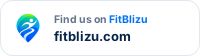
Show visitors they can find you on FitBlizu. Copy the code onto your site – the badge is an image that updates itself (e.g. when the profile becomes verified). Example – after claiming the profile you get the code with a link to your own gym.
 Theme
Theme
The badge lets visitors of your website open your FitBlizu profile with opening hours, prices and location. It is optional and you can remove it at any time.
Is your gym missing from the map? Add it with the "Add a missing gym" button on the map. To add a new sports venue or trainer, email us at info@fitblizu.com. An editor reviews every suggestion.